Accounting Software for Small Businesses in Ireland: What Should You Actually Look For? (2026)
· By MyLedgerBook Editorial Team
Updated September 2026 · Researched for the Irish market
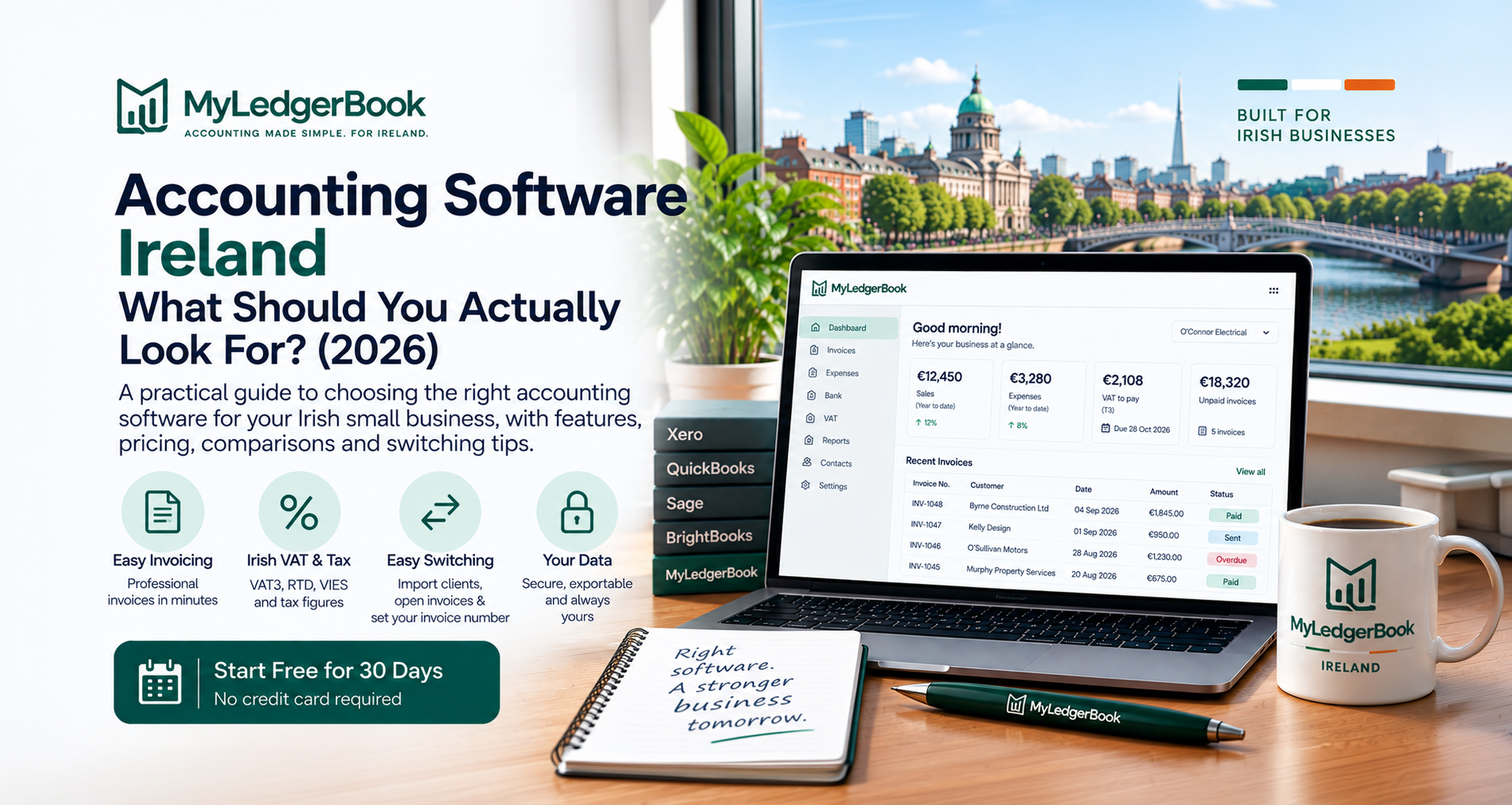
Choosing accounting software for a small business in Ireland can be surprisingly difficult.
There are well-known international platforms, established Irish accounting products and newer systems built for smaller businesses. Almost all of them promise to save time, simplify bookkeeping and make invoicing easier.
But the longest feature list isn't necessarily the best accounting software for your business.
For a sole trader, freelancer, tradesperson or small limited company in Ireland, a better question is:
Does this software make the accounting tasks I actually have to deal with easier?
Quick answer: Good accounting software for an Irish small business should make invoicing and expenses straightforward, support the VAT and tax requirements relevant to Ireland, keep your records organised, provide useful reports, let you work with your accountant and make it easy to access or export your data. Price matters, but simplicity and suitability for your business matter more than having hundreds of features you may never use.
What does a small Irish business actually need from accounting software?
For many small businesses, accounting is not the business.
A plumber wants to complete jobs.
A consultant wants to work with clients.
A photographer wants to take photographs.
A retailer wants to sell products.
Accounting software should support those activities rather than becoming another job to manage.
For a typical Irish small business, the important day-to-day jobs may be relatively straightforward:
- create professional invoices
- know which customers have paid
- record business expenses
- keep receipts
- understand income and costs
- keep VAT records where applicable
- prepare figures for tax obligations
- know when important deadlines are approaching
- provide organised information to an accountant
More advanced businesses may also need inventory, payroll, multi-currency accounting, project costing, complex reporting or integrations with other systems.
The important point is that different businesses need different levels of accounting software.
Paying for complexity you don't use doesn't necessarily make your bookkeeping better.
Should accounting software be designed for Ireland?
This is one of the first things an Irish business should consider.
Accounting principles may be international, but tax obligations aren't.
Irish businesses can encounter terminology and requirements such as:
- VAT3
- T1 and T2
- RTD
- VIES
- Irish VAT rates
- ROS
- Form 11
- Corporation Tax
- preliminary tax
- Revenue filing deadlines
Software designed primarily for another market may still work perfectly well in Ireland, particularly where it has been properly adapted for Irish businesses.
But you should check rather than assume.
Ask:
Does the software understand the Irish VAT and tax workflow I actually need?
For example, if you're VAT registered, it is useful for your bookkeeping system to do more than simply tell you:
Sales VAT = €X
You may need the underlying information required to deal with your Irish VAT obligations.
If you're still unsure whether VAT registration applies to you, see our VAT Registration Threshold Ireland guide.
Look for simple invoicing first
For many small businesses, invoicing is where accounting starts.
You complete some work.
You create an invoice.
The customer pays.
That transaction becomes part of your accounting records.
Good invoicing software should make it easy to:
- create professional invoices
- use consistent invoice numbering
- add customer details
- describe goods or services
- apply the appropriate VAT treatment
- send invoices electronically
- identify paid and unpaid invoices
- deal with deposits or staged payments where needed
If creating an ordinary invoice feels complicated, that is a warning sign.
You will probably create far more invoices than year-end reports, so everyday tasks need to be easy.
For VAT-registered businesses, invoices also form part of your VAT records. Our VAT Invoice Requirements Ireland guide explains what information an Irish VAT invoice generally needs to contain.
Can the software handle deposits and staged invoices?
This is particularly relevant to tradespeople and project-based businesses.
Not every business operates like this:
Complete work → send one invoice → receive one payment.
A builder, web designer, photographer, consultant or other service business may instead work with:
Deposit → staged payment → final balance
If that's how your business operates, check whether the accounting software supports that workflow naturally.
Trying to force your real business into an invoicing system designed for a different workflow creates unnecessary administration.
Expense recording should be just as easy as invoicing
Business expenses are the other half of everyday bookkeeping.
You should be able to record:
- supplier
- date
- amount
- category
- VAT where applicable
- whether the bill has been paid
- supporting receipt or invoice
Ideally, you should also be able to store the receipt with the transaction.
This matters because the alternative is familiar to many small-business owners:
a drawer, folder or box full of receipts at tax time.
Good accounting software should encourage you to record the expense when it happens.
If you're a sole trader, see our Sole Trader Expenses Ireland guide for an explanation of allowable expenses, mixed business/private costs and record keeping.
Does it make VAT easier?
If you're VAT registered, this should be one of your main questions.
Your software should help turn the sales and purchase transactions you've already recorded into useful VAT information.
In Ireland, the periodic VAT return is the VAT3.
The important figures include:
T1 — VAT on sales and other amounts due
T2 — VAT deductible
with the resulting T3 or T4 position determining VAT payable or repayable.
Good bookkeeping software should make it easy to understand where those figures came from.
You shouldn't reach the VAT deadline and start rebuilding two months of transactions from bank statements.
Our VAT3 Ireland guide explains the VAT3 process in detail.
What about the annual RTD?
VAT-registered Irish businesses also need to be aware of the Return of Trading Details (RTD).
The RTD reports annual sales and purchases broken down according to the relevant VAT treatment.
This is another reason why recording transactions properly throughout the year matters.
If the VAT rate and nature of each transaction have already been recorded, preparing annual VAT information becomes considerably easier.
See our RTD Ireland guide for a full explanation.
When comparing accounting software in Ireland, therefore, don't look only for the word:
VAT
Look at how well the system supports the actual Irish VAT records and information your business needs.
What should sole traders look for?
Sole traders often have different requirements from larger limited companies.
A sole trader may want:
- straightforward invoicing
- expense tracking
- receipt storage
- profit visibility
- VAT figures where applicable
- tax estimates
- organised records for Form 11
- clear deadlines
- accountant access
The software should help the owner understand the business without requiring them to become an accountant.
Our Sole Trader Accounting Ireland guide explains the accounting and record-keeping responsibilities of an Irish sole trader in more detail.
Does the software help you understand tax as you go?
One of the biggest problems with annual tax is that the bill can feel disconnected from the money currently in your bank account.
A healthy bank balance doesn't necessarily mean all of that money is available to spend.
Some may ultimately be needed for:
- Income Tax
- PRSI
- USC
- preliminary tax
- VAT
depending on your circumstances.
For a sole trader, accounting software that helps make the likely tax position visible during the year can be more useful than discovering everything when Form 11 is being prepared.
The objective isn't to replace professional tax advice.
It's to avoid running the business financially blind.
Can your accountant work with the software?
Even if you do your own bookkeeping, you may still use an accountant for:
- annual accounts
- tax returns
- tax advice
- unusual transactions
- business structure
- year-end review
Check how your accounting software handles accountant access.
Ideally, you shouldn't have to:
- share your own password
- repeatedly email spreadsheets
- export everything every month
- pay unnecessarily for another full user simply so your accountant can review the books
Good accounting software should make collaboration straightforward while still keeping you in control of your account.
How much does accounting software cost in Ireland?
Pricing varies considerably, and introductory discounts can make comparisons difficult.
As of September 2026, several well-known products serving the Irish market use tiered subscription pricing.
For example, Xero currently lists its Irish Starter plan at $29 per month after its introductory offer, Standard at $50 per month, and Premium at $75 per month. Its Starter plan currently limits users to 20 invoices and 5 bills, and Xero has announced subscription price changes from 1 November 2026.
Sage currently advertises Sage Accounting Start at €19 + VAT per month after its introductory offer and its higher Accounting tier at €37 + VAT per month.
BrightBooks currently lists its Starter plan at €18.43 + VAT per month, Standard at €24.39 + VAT, and Enterprise at €35.68 + VAT.
QuickBooks Online offers several plans in Ireland and currently provides a 30-day free trial.
Prices, offers and features change, so always check the provider's current pricing before choosing.
But price alone isn't enough.
A €20 system you dislike using is not necessarily better value than a €30 system that saves you hours.
Equally, a small sole trader shouldn't assume that the most expensive package must be the best one.
Watch for limits hidden inside pricing tiers
The headline subscription price doesn't always tell the whole story.
Depending on the provider and plan, limits or additional charges can apply to things such as:
- number of invoices
- number of bills
- users
- businesses
- expense claims
- projects
- document capture
- multi-currency
- inventory
- payroll
- advanced reports
For example, Xero's current Irish Starter plan is marketed towards sole traders and new businesses but currently includes up to 20 invoices and 5 bills.
BrightBooks' current Starter plan lists 25 purchase and sales invoices, while its Standard plan offers unlimited invoices and receipts.
That doesn't make either product good or bad.
It simply illustrates why you should look beyond the headline monthly price.
Ask:
What will this software cost when my business is actually using it?
Do you need every feature?
Probably not.
A feature list can look impressive:
- inventory
- project management
- payroll
- forecasting
- multi-currency
- purchase orders
- CRM
- advanced analytics
- hundreds of integrations
Those features can be extremely valuable to a business that needs them.
But they can also add complexity for a sole trader who simply wants to:
invoice customers → record expenses → understand VAT and tax → give clean figures to an accountant.
Choose software for the business you actually operate.
Not the business shown in the software company's advertising.
Xero, QuickBooks, Sage and BrightBooks: are they good choices?
All four are established accounting platforms serving Irish businesses, but they suit different users.
Xero
Xero is a mature cloud-accounting platform with invoicing, bills, bank reconciliation, reporting, document capture and a large ecosystem.
Its breadth can make it attractive to growing businesses and businesses whose accountant already works extensively with Xero.
Smaller businesses should look carefully at which pricing tier they require because the Starter tier currently has invoice and bill limits.
QuickBooks Online
QuickBooks Online provides cloud accounting, invoicing, income and expense management, bank connections, accountant access and a range of additional features.
It is another established option and currently offers a 30-day trial in Ireland.
Businesses should consider which plan contains the features they need and whether the workflow feels natural for their Irish accounting requirements.
Sage Accounting
Sage has a long presence in business accounting and offers Irish-specific Sage Accounting products.
Its cloud product includes invoicing, banking, VAT preparation, reporting and accountant collaboration, with more advanced functionality available in higher tiers.
It can be a strong option for businesses that need a broader accounting ecosystem or already work with a Sage-based accountant.
BrightBooks
BrightBooks is an Irish-focused cloud bookkeeping product offering invoicing, purchases, banking, VAT and general-ledger functionality.
Its higher plans add functionality such as CRM, RCT, multi-currency and stock management.
It may appeal particularly to businesses and accountants wanting an established product with a strong Irish accounting focus.
There is no universal winner.
The best choice depends on what your business needs and how much complexity you want.
What are Irish small businesses saying about accounting software?
Recent Irish discussions about bookkeeping software reveal an interesting pattern.
Small-business owners don't necessarily ask for sophisticated accounting terminology.
They ask for things like:
Is it easy to use?
Can I keep my receipts organised?
Can my accountant access it?
Will it handle VAT?
Can I keep everything together?
In a recent Irish small-business discussion, users recommended a range of products including BrightBooks, QuickBooks, Sage, Xero and Zoho Books.
Several comments focused specifically on simplicity and keeping invoices, expenses and receipts organised.
That is useful when choosing software.
The best accounting package isn't necessarily the one accountants can configure to do the most things.
For an owner-managed small business, it may be the one you will actually keep up to date.
What happens if I already use accounting software?
This is an important question because switching systems can feel much harder than choosing your first one.
A business owner may think:
What happens to my customers?
What about invoices that haven't been paid?
Do I have to start my invoice numbers again?
Do I need to move years of old transactions?
Before switching, identify what actually needs to move.
You may need to consider:
- customer records
- supplier records
- unpaid sales invoices
- unpaid purchase invoices
- opening balances
- VAT position
- bank balances
- historical reports
- supporting documents
- invoice numbering
You should also retain whatever historical accounting and tax records you're legally required to keep.
Switching software does not mean you can discard the records held in your previous system.
Do I need to move my entire accounting history?
Not necessarily.
Depending on your circumstances, it may be more practical to choose a sensible changeover date and bring forward the information needed to continue operating.
For example, a business might need immediate access to:
existing customers
and:
invoices customers still owe
while historical records remain safely retained or exported from the previous system.
The appropriate migration method depends on your business, VAT position, accounting period and the systems involved.
For a complex business or a mid-year migration, it can be sensible to involve your accountant.
What about invoice numbering when I switch?
Invoice continuity is easily overlooked.
If your existing system has already issued:
Invoice 1047
you may not want the replacement system suddenly issuing:
Invoice 1
A good migration process should allow you to maintain a sensible and consistent invoice sequence.
Check this before moving rather than discovering it when you're ready to send the first invoice from the new system.
Can I get my data out again?
This is one of the most important questions to ask before signing up.
Your accounting data belongs to your business.
You should understand:
- what can be exported
- which formats are available
- whether invoices can be downloaded
- whether reports can be saved
- what happens if you cancel
- how long your data remains available
- where your data is stored
Don't evaluate accounting software solely on how easy it is to get your information into the system.
Also ask:
How easy is it to get my information back out?
Where is your accounting data stored?
Accounting records contain commercially sensitive information.
That can include:
- customer details
- sales
- expenses
- supplier information
- outstanding debts
- financial performance
- tax information
Look at the provider's security and privacy information.
Questions worth asking include:
Where is the data hosted?
Is it encrypted?
Who within the software company can access my account?
Is support access logged?
Can I enable two-factor authentication?
Can I export my data?
Accounting software shouldn't require you to give up control of your business information.
Should accounting software file your tax returns automatically?
Automation can be useful, but don't confuse convenience with responsibility.
Different accounting products provide different levels of tax preparation and filing functionality.
Whether the software files something directly, creates a return, prepares figures or produces information for your accountant, you remain responsible for ensuring your business records are correct.
A sensible approach is:
record accurately → let software calculate → review the figures → file appropriately.
Software should make compliance easier.
It shouldn't encourage you to stop looking at the numbers.
What should you look for before choosing?
For a small Irish business, I would prioritise these questions:
- Is it easy enough that I will actually use it?
- Does it suit Irish accounting and VAT requirements?
- Can I create the invoices my business needs?
- Can I record expenses and keep receipts organised?
- Can I understand what customers still owe me?
- Does it help with VAT3 and RTD if I'm VAT registered?
- Does it help me understand my tax position?
- Can my accountant work with my records?
- Can I export my data whenever I want?
- Can I switch from my current system without starting everything again?
- What will it really cost after introductory offers and add-ons?
- Is my financial data handled in a way I'm comfortable with?
Those questions are more useful than counting features.
Where does MyLedgerBook fit?
MyLedgerBook takes a deliberately Irish approach.
It is accounting software built in Ireland for Irish businesses, particularly sole traders, freelancers, tradespeople and small limited companies that want to keep their own bookkeeping straightforward.
The core workflow is:
Create invoices and record expenses
↓
MyLedgerBook builds the accounting records behind them
↓
Your Irish VAT and tax figures are prepared from those records
For VAT-registered businesses, MyLedgerBook prepares figures for:
- VAT3
- RTD
- VIES
For sole traders, it also helps prepare the accounting figures relevant to Income Tax and Form 11.
For limited companies, it helps prepare accounting figures relevant to Corporation Tax.
It also keeps Irish Revenue and business deadlines visible so they aren't buried in a calendar somewhere else.
MyLedgerBook does not file your Revenue returns on your behalf.
You review the figures and file through ROS yourself, or use the information when working with your accountant.
What if you're switching from Xero or another system?
MyLedgerBook isn't limited to businesses starting their first set of books.
If you're moving from Xero, QuickBooks, Sage, BrightBooks, a spreadsheet or another system, MyLedgerBook can help you continue operating without recreating every customer manually.
You can:
- import your existing clients
- import your open invoices
- choose the starting number for your invoices
That means if your previous system finished at invoice 1047, you can configure your MyLedgerBook numbering appropriately rather than being forced to restart from invoice 1.
Your historical accounting records should still be retained as required, and more complicated migrations may need additional consideration.
But moving accounting software doesn't necessarily mean rebuilding your entire business from scratch.
Why is MyLedgerBook different?
MyLedgerBook isn't trying to be accounting software for every type of business in every country.
Its focus is much narrower:
small Irish businesses.
That means the product can concentrate on the things those businesses actually encounter:
- Irish VAT rates
- VAT3 figures
- annual RTD
- VIES
- sole-trader tax figures
- Corporation Tax figures
- Revenue deadlines
- CRO deadlines
- professional invoicing
- deposits and staged invoices
- expenses and suppliers
- receipt storage
Your accountant can also work with the information you've recorded rather than requiring you to reconstruct it at year-end.
And if you operate more than one business, MyLedgerBook allows multiple businesses to be managed under the same login.
Is MyLedgerBook right for every business?
No — and it shouldn't pretend to be.
If you run a larger organisation requiring sophisticated inventory management, complex departmental accounting, extensive international integrations or other enterprise-level features, a broader accounting platform may be more appropriate.
MyLedgerBook is designed for the owner-managed Irish business that wants:
less accounting complexity, not more accounting software.
That distinction matters.
The right software isn't the one with the most features.
It's the one that fits the way your business actually works.
Can I try MyLedgerBook before switching?
Yes.
MyLedgerBook currently offers a 30-day free trial with no credit card required.
That means you don't need to decide whether to replace your existing accounting system before seeing how MyLedgerBook works.
You can create an account, explore the software and decide whether the workflow suits your business.
If you're considering switching, you can also see how importing clients and open invoices works before committing to a change.
Try MyLedgerBook free for 30 days
See whether accounting software built specifically for Irish small businesses makes your bookkeeping easier.
30-day free trial · No credit card required
Accounting Software Ireland: Frequently Asked Questions
What is the best accounting software for a small business in Ireland?
There isn't one best package for every Irish business. The right choice depends on whether you're a sole trader or company, whether you're VAT registered, the complexity of your bookkeeping, the features you need, your accountant's workflow and your budget. Irish-specific tax and VAT support should be an important consideration.
What should a sole trader look for in accounting software?
For many sole traders, the priorities are straightforward invoicing, expense and receipt recording, profit visibility, VAT support where applicable, tax information, useful deadlines, accountant collaboration and easy access to their own data.
Do I need accounting software as a sole trader in Ireland?
There isn't a general requirement that every sole trader purchase accounting software, but you do need to maintain adequate business and tax records. Software can make those records considerably easier to maintain.
Which accounting software supports Irish VAT?
Several accounting platforms serving Ireland provide VAT functionality, including established products such as Xero, Sage, QuickBooks and BrightBooks. The important question is how well the particular product and plan support the Irish VAT workflow your business needs.
Is Xero suitable for an Irish small business?
Xero offers an Irish version of its cloud accounting platform and is widely used by small businesses and accountants. It provides substantial accounting functionality, but small businesses should check the current plan limits, features and pricing to determine whether it suits their requirements.
Is Sage suitable for Irish businesses?
Sage offers Irish accounting products covering invoicing, banking, VAT preparation, reporting and other accounting functions. Different Sage products and plans target different levels of business complexity.
What should I check before switching accounting software?
Check what customer, supplier, invoice, balance and historical information needs to move; how invoice numbering will continue; what records need to be retained; whether your accountant needs to be involved; and whether the new system can import the information required for a practical changeover.
Can I move from Xero to MyLedgerBook?
MyLedgerBook allows you to import clients and open invoices and set your starting invoice number, which can make moving from Xero or another system easier. More complex migrations should be planned according to the records and accounting position of the individual business.
Does MyLedgerBook file VAT returns with Revenue?
No. MyLedgerBook prepares the VAT and accounting figures from the records you've entered. You review those figures and complete the appropriate Revenue filing through ROS yourself or use the information when working with your accountant.
Can I try MyLedgerBook without entering a credit card?
Yes. MyLedgerBook offers a 30-day free trial and does not require a credit card to start the trial.
Sources and further reading
Pricing and features can change, so check each provider's current website before making a purchasing decision.
- Xero Ireland — Pricing plans
- QuickBooks Ireland — Pricing
- Sage Ireland — Accounting pricing
- BrightBooks Ireland — Cloud bookkeeping software
- Revenue — VAT
- Revenue — Starting a business
Last reviewed: 8 September 2026
Pricing and product features referenced in this guide were checked on 8 September 2026 and may change. This article provides general information and is not tax, accounting or financial advice. Check the provider's current features and pricing and current Revenue guidance before making business or tax decisions.